

Query Streams MCP
Let your AI think.
We’ll handle the heavy data work.
Find the right tables. Turn large results into compact findings. Keep the data ready for the next question.
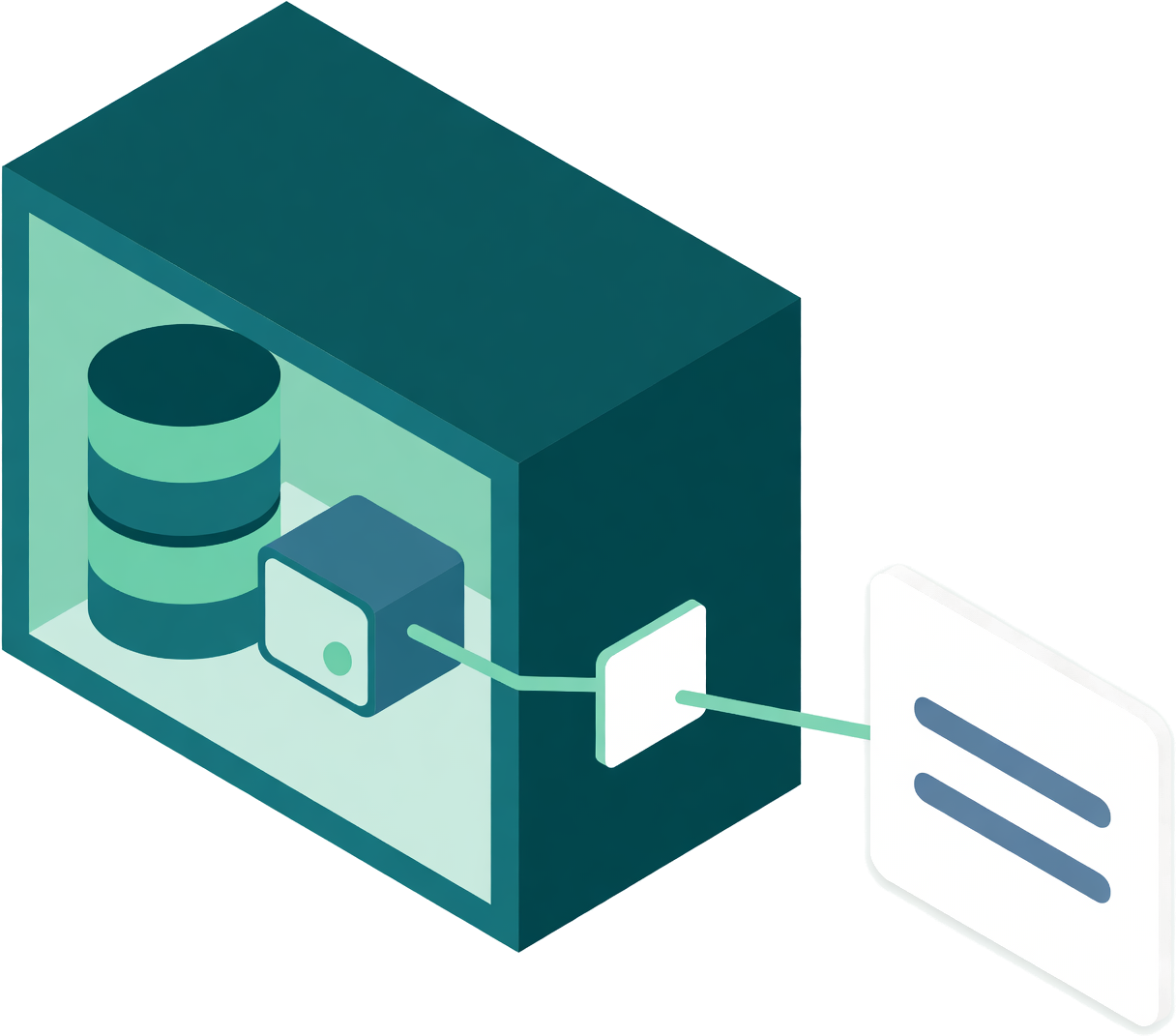
Query Streams gives your AI client a partner beside your databases: the Network Agent. Less data to read and move. Fewer repeated requests. More room to work through your question.
Table discovery and read-only queries on Free.
Profiling and follow-up analysis from Personal Core.
Why Query Streams MCP?
Because getting a useful answer takes more than running a query. Your AI client needs to find the data, make sense of it and ask the next question.
Find the right place to start.
A short question finds relevant tables by meaning, even among thousands of coded names. Your AI client reads the schema it needs and gets on with the query.
Less searching. Fewer guesses.Spend tokens on useful context.
The Network Agent profiles and analyses large results beside your database. Your AI client receives compact findings it can use to decide what to explore next.
Less raw data to read and transfer.Ask the next question without starting over.
Filter, group, compare or sample a held result. Follow-up tools reuse the data already on the Network Agent, without another database query.
Fewer round trips. Less repeated work.Work with private data on your terms.
The Network Agent connects out from inside your network. Database credentials stay there, and queries pass a read-only check before they reach your data.
No inbound database ports or VPN.Table discovery is included on Free
Start with the right tables.
Your AI client asks for what it needs in plain words, in any language. Query Streams returns a short, ranked list of matching tables, with a reason for each match. Then your AI client reads the columns it needs and writes the query.
- Ask in your language. Find tables by meaning.Search names, columns and descriptions across a captured database. Semantic Intelligence can add meaning to abbreviated names, and your team’s table choices help improve future searches.
- Works across the whole captured database.New captures become searchable within minutes. Table and description changes are reflected automatically. Finding a table does not query your database.
Measured in development tests on November 6, 2026: about 60 ms median per search; 71 of 72 questions across 12 languages found the right table in the top three. Results vary by database and question.
Find vehicle auction history, then count the records.
auc_uaxmtn.conlibv_pfarbhist1,048 rows · Match in descriptionauc_uaxmtn.conlibv_pfvehcond2,258,576 rows · Name match: vehicle
Read as: vehicle condition
Next: read the matching table's schemaqs_get_table_schema
database: asi
table: auc_uaxmtn.conlibv_pfarbhist
Then: run the read-only querySELECT COUNT(*) AS history_rows
FROM auc_uaxmtn.conlibv_pfarbhist;
See what your AI can do with a head start.
Once the right data is found, the Network Agent can profile it, calculate over it and keep it ready for follow-up questions. Choose an example to see how a large result becomes something your AI client can explain.
- Nova


 Profiles and analyses data beside your databases.
Persönlicher Kern und darüber hinaus
- Rechnungsergebnis verstehen
Profilieren Sie die Daten, bevor Sie die Zeilen lesen.
Nova or your AI client needs to understand a large invoice result. It asks for a local profile, rather than reading batches of invoices to discover the columns and values.
Die KI beginnt mit einer kompakten Übersicht der Daten.
- Optimiertes Tool: Ergebnisprofilierung
Ein umfangreiches Rechnungsergebnis profilieren.
Der Agent durchsucht das Ergebnis neben Ihrer Datenbank und liefert Spaltenstatistiken, Wertebereiche und häufige Werte zurück. Die KI kann erkennen, wie sie die Rechnungen analysieren kann, ohne selbst jede Zeile verarbeiten zu müssen.
Weniger Rohdaten im Modellkontext bedeuten weniger zu verarbeitende Tokens und weniger Datenübertragung über das Internet.
- Folgetool: vorgehaltenes Ergebnis abfragen
Fragen Sie nach den wichtigen Summen.
Das Profil liefert der KI die benötigten Felder. Sie bittet den Agenten, überfällige Rechnungen zu filtern und ihre Beträge nach Region zu gruppieren – anhand des bereits lokal vorgehaltenen Ergebnisses.
In diesem Beispiel wird keine zweite Datenbankabfrage ausgeführt.
- Vier Summen, bereit zur Erläuterung
Sortiere die höchsten Beträge nach oben.
Der Agent gibt vier regionale Summen zurück. Die KI kann sich auf die Prioritäten beim Forderungseinzug konzentrieren, statt wiederholt Rechnungszeilen anzufordern, zu lesen und zusammenzurechnen.
184.902 Zeilen bleiben für diese Analyse lokal. Vier gruppierte Zeilen beantworten die Folgefrage.

Business Core und höher
- Den gesamten Katalog betrachten
Finde den Lagerbestand, der Aufmerksamkeit erfordert.
Die KI bittet um natürliche Gruppen auf Grundlage der Lagerreichweite und Lieferzeit. Sie muss nicht 1.284 Produktdatensätze in ihren Kontext laden, um herauszufinden, welche sich ähnlich verhalten.
Das vorgehaltene Ergebnis enthält bereits die Lagerreichweite und die erwarteten Lieferintervalle.
- Optimiertes Tool: Segmentierung des vorgehaltenen Ergebnisses
Finde Gruppen mit ähnlicher Lagerreichweite.
Der Agent gruppiert die numerischen Felder lokal und gibt die Größe sowie die Durchschnittswerte jedes Segments zurück. Eine kleine Gruppe sticht hervor: Die durchschnittliche Lieferung trifft erst ein, nachdem der Bestand aufgebraucht ist.
Drei Segmentzusammenfassungen geben der KI einen gezielten Ansatzpunkt für weitere Untersuchungen.
- Folgetool: vorgehaltenes Ergebnis filtern
Die gefährdeten Produkte genauer betrachten.
Die Segmentwerte ermöglichen eine präzise Folgeabfrage. Die KI bittet den Agenten, anhand derselben vorgehaltenen Zeilen die Produkte zurückzugeben, deren Lagerreichweite kürzer ist als ihr Lieferintervall.
In diesem Beispiel wird keine zweite Datenbankabfrage ausgeführt.
- Zwei Produkte, zwei klare Lücken
Schließe die Nachschublücken.
Der Agent gibt die beiden passenden Produkte und ihre Intervalle zurück. Die KI kann die betroffenen Positionen benennen und die zweitägige Versorgungslücke erläutern, ohne den gesamten Katalog durchzugehen.
Der Agent übernimmt Gruppierung und Filterung; die KI erläutert die Maßnahme.

Business Core und höher
- Eine Leistungsänderung untersuchen
Fragen Sie, was sich im Laufe der Zeit geändert hat.
Die KI beginnt mit einem täglichen Versandresultat, das Datumsangaben, Verspätungszahlen, versandte Mengen, Verspätungsraten und Zeitraumbezeichnungen enthält. Sie fordert den Agenten auf, Änderungen in der Zeitreihe der Verspätungszahlen zu erkennen.
Das gespeicherte Ergebnis umfasst 90 tägliche Beobachtungen, nicht einen neuen Strom einzelner Bestellungen, die gelesen werden müssen.
- Optimiertes Tool: Zeitreihenanomalien
Eine anhaltende Veränderung erkennen.
Der Agent prüft die geordnete numerische Zeitreihe auf Ausschläge und Niveauänderungen. Dieses Beispiel zeigt einen Anstieg von etwa drei auf etwa zwölf verspätete Sendungen pro Tag und gibt der KI ein Muster zur Untersuchung.
Die KI erhält die Ergebnisse der Erkennung, anstatt die gesamte Zeitreihe selbst durchzuarbeiten.
- Folge-Tool: gespeicherte Gruppen vergleichen
Prüfen Sie die Rate, nicht nur die Anzahl.
Eine höhere Anzahl könnte auf mehr Bestellungen zurückzuführen sein. Die KI fordert den Agenten auf, die täglichen Verspätungsraten der beiden Zeiträume zu vergleichen und dabei die bereits im gespeicherten Ergebnis enthaltenen Zeitraumbezeichnungen zu verwenden.
In diesem Beispiel wird keine zweite Datenbankabfrage ausgeführt.
- Ein Vergleich mit nützlichem Kontext
Die Veränderung zwischen den Zeiträumen messen.
Der Agent gibt Zusammenfassungen für die 62 früheren Tage und die 28 jüngsten Tage zurück. Die KI kann erläutern, wie sich der Anteil verspäteter Bestellungen verändert hat, anstatt jeden Anstieg der Anzahl als dasselbe Problem zu behandeln.
Weniger wiederholte Datenabfragen lassen dem Modell mehr Spielraum für die Erklärung.

Veranschaulichende Daten und vereinfachter Workflow. Es wird keine MCP-Anfrage gesendet. Profiling und Abfragen gespeicherter Ergebnisse erfordern Personal Core oder höher. Segmentierung, Anomalieerkennung und Vergleiche erfordern Business Core oder höher und unterliegen den Grenzen Ihres Tarifs. Free umfasst standardmäßige schreibgeschützte MCP-Abfragen.
Dieselbe Grundlage des Network Agent unterstützt Nova, unseren integrierten KI-Analysten.
The Network Agent advantage
The heavy work belongs beside your data.
Profiles, calculations and held results stay close to the database. Your AI client receives the findings it asks for, with less data to transfer and less repeated processing.
Standard MCP queries return query results. With the optional analysis tools, your AI client can request a compact profile or calculation instead of the full result.
- Your database credentials stay inside.Your AI client signs in to Query Streams or uses a revocable MCP key. It never needs your database password.
- One outbound, encrypted connection.Requests and results travel over a connection opened by the Network Agent. Your database needs no inbound port or VPN for Query Streams.
- Read-only is enforced beside the data.The Network Agent checks every query and refuses statements that would change your data.
Bring the data your business actually runs on.
Use the same MCP connection across supported databases, files, logs and API-connected services. Saved queries and cross-source queries give your AI client more ways to work with the data you already have.
Explore supported sources- DatenbankenSQL Server, PostgreSQL, MySQL, Oracle and more, on your network or in the cloud.
- Dateien und ProtokolleWork with CSV, Excel, Parquet and log data through supported file connectors.
- Connected servicesQuery service data and join it with your other sources, within your plan limits.
Start free. Add deeper analysis when you need it.
Kostenlos
Find the right tables and run read-only queries. Use saved queries and join up to two sources.
- Table discovery in plain language
- One API key, 30 calls per minute
- Up to 1,000 rows per query
Persönlicher Kern
Give your AI client compact findings and data it can reuse.
- Size checks and column profiles
- Compact result summaries
- Held results for follow-up questions
Kerngeschäft
Go deeper into quality, patterns and changes across your data.
- Datenqualitätsprüfungen
- Anomalien, Segmente und Vergleiche
- Nova, der integrierte KI-Analyst
Features are available within each plan’s allowances. Compare plans and limits
Connect your data once. Bring your AI client.
Install the Network Agent on Windows, Mac or Linux and connect your data sources. Then connect your AI client through SSO or a revocable MCP key.
Mit SSO anmelden
For AI clients that support sign-in
Fügen Sie Query Streams in Ihrer KI-App hinzu, melden Sie sich mit Ihrem Query Streams-Konto an und genehmigen Sie den Zugriff. Kein API-Schlüssel zum Kopieren.
Mit einem API-Schlüssel verbinden
Für Tools, die Verbindungen mit API-Schlüsseln unterstützen
Erstellen Sie im Verbindungsassistenten des Portals einen widerrufbaren MCP-Schlüssel und fügen Sie dann die Serveradresse und den Schlüssel in den Einstellungen Ihres Tools hinzu.
Server settings for API-key clients
Bei beiden Methoden bleiben Ihre Datenbank-Anmeldedaten auf dem Network Agent. Sie können den Zugriff jederzeit über das Portal widerrufen.
Fragen, die sich die Leute zuerst stellen
Does it work on a very large database?
Yes. Your AI client asks for what it needs and gets matching tables ranked, with a reason for each match, whether the database has 40 tables or 20,000. It can find the right table without reading the whole list.
Does my AI need to know my table names?
No. Your AI client can ask in plain words, in any language. Table names, column names, descriptions and captured sample values help find matches. Semantic Intelligence can add meaning to abbreviated or coded names, but it is optional.
Does finding a table use my data allowance?
Only the small reply itself. Finding a table reads nothing from your database.
What happens right after I connect a big database?
It becomes searchable within minutes of schema capture, with nothing to configure. Until then, your AI client is told the index is still building and how far along it is, and it can list tables the usual way. Changes to tables and descriptions are reflected automatically.
Does finding a table send my schema to an AI vendor?
Finding a table runs entirely inside Query Streams; no third-party AI service performs the search. Your connected AI client receives the matching table names and reasons. If it asks for a table’s schema or query results, those replies are returned to that client too.
Muss ich Ports öffnen oder ein VPN einrichten?
No. The agent runs inside your network and opens one outbound, encrypted connection to Query Streams. Requests and results travel both ways over it. Your AI client connects to Query Streams, never to your database, so there is no inbound port, no IP allowlist and no VPN. The agent runs on a laptop, a VM, on-prem hardware or any cloud that allows outbound HTTPS.
Kann ich SSO oder einen API-Schlüssel verwenden?
Yes. If your AI client supports SSO, connect with your Query Streams account. For clients that use API-key authentication, create a revocable MCP key in the portal and add it with the server address. Your database login stays on the Network Agent with either method.
Sieht mein KI-Client meine Zeilen?
Standard MCP queries return query results to your AI client. Optional profiling and analysis tools send compact findings instead of the full result. Held results stay on your Network Agent, and your AI client receives only the rows or summaries it requests.
Was ist ein vorläufig feststehendes Ergebnis?
A result your AI client asks the agent to keep for a while. Follow-up questions are answered from that copy, with no second database query: filter it, group it, sort it, page through it or take a sample. Query Streams' servers never store those rows. It is released when its hold time ends, when the assistant releases it, or when someone clears held results on the Data Agents page. Held results are on Personal Core and up.
Was passiert, wenn die KI versucht, Daten zu schreiben oder zu löschen?
Jede Abfrage durchläuft auf dem Agenten eine Nur-Lese-Prüfung, bevor sie Ihre Datenbank erreicht. SELECT, WITH und EXPLAIN werden ausgeführt; alles andere wird abgelehnt. Die Prüfung findet innerhalb Ihres Netzwerks statt, nicht in der Cloud.
In welchen Tarifen ist das enthalten?
Table discovery and read-only MCP queries are included on every plan, including Free. Free never expires and includes one key, 30 calls a minute and up to 1,000 rows per query. Profiling and held-result analysis start on Personal Core; deeper analysis starts on Business Core. Nova, the AI analyst built into Query Streams, starts on Business Core. Pläne vergleichen.
Give your AI a head start on its next answer.
Find the right tables. Let the Network Agent prepare the data. Give your AI client more room to think.
 English
 Spanish
 German
 French
 Portuguese
 Japanese
 Korean
 Chinese
 Italian
 Dutch
 Indonesian
 Polish